Visit Japan Web QR Code 2026: Arrival Card and Customs
One Visit Japan Web QR code covers immigration and customs. Make it before you land; at 7 airports a customs kiosk reads it with your passport.
Visit Japan Web QR code: the short answer
Fill in Visit Japan Web before you land to get one QR code for immigration and customs. Immigration and customs have shared one code since 25 January 2024, and at 7 airports a customs kiosk reads it with your passport.
Visit Japan Web is a web service from the Digital Agency of the Government of Japan. You type in your arrival record and your customs declaration, and the site turns both into one code. Its English pages call this a 2D code. Customs runs e-Gates at New Chitose, Narita, Haneda, Chubu Centrair, Kansai, Fukuoka and Naha airports.
Some terminals go further with a joint kiosk. One scan of your QR code and IC passport sends your details to immigration and customs together. Narita, Haneda, Kansai and Fukuoka have them, and Narita Terminals 1 and 2 joined on 24 September 2026. If you skip Visit Japan Web, you can still hand in a paper arrival card and a paper customs form.
You can fill in the forms on a computer, but you show the code on a smartphone or tablet. Japanese citizens returning home use the same service for their customs declaration.

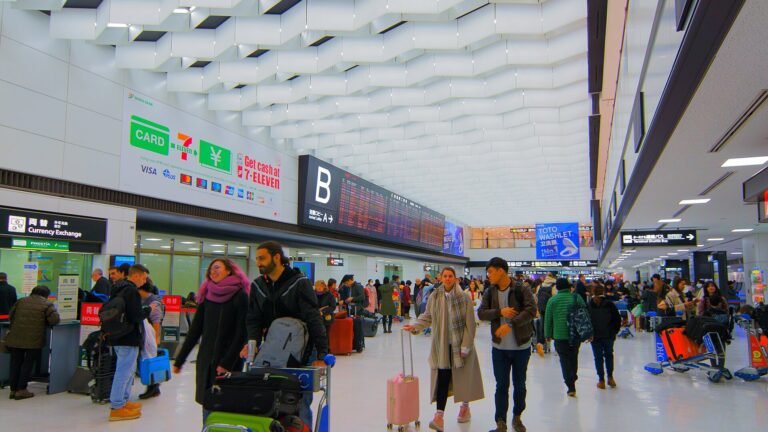
The photo above shows Kansai Airport Terminal 1, where a joint kiosk has run since 1 April 2025. The rest of this guide follows your trip: paper forms, the five steps, immigration, customs, fake sites and the ride into town.
Japan arrival card and immigration form
The Japan arrival card, also called the Japan immigration form, is the ED card. Its Japanese name is 外国人入国記録 (gaikokujin nyūkoku kiroku), which means foreigner entry record.
The Immigration Services Agency asks every newly arriving foreign national to hand one in. It recommends sending the card through Visit Japan Web, and you still meet an immigration officer either way. The agency’s ED card page (in Japanese) sets out who can file it online.
Some travellers cannot send the card electronically. They include anyone re-entering Japan, including on a special re-entry permit. The same goes for people on special landing permission and people covered by the status of forces agreements with US and UN forces. People under a Reciprocal Access Agreement (RAA) are also left out.
Japanese passport holders and foreign residents with a re-entry permit do not register the entry record in Visit Japan Web. They fill in only the customs declaration there.
The second form comes from Japan Customs: the Declaration of Accompanied Articles and Unaccompanied Articles. Customs asks every passenger entering Japan to submit one and recommends doing it through Visit Japan Web.
The illustration below shows which forms apply to you.
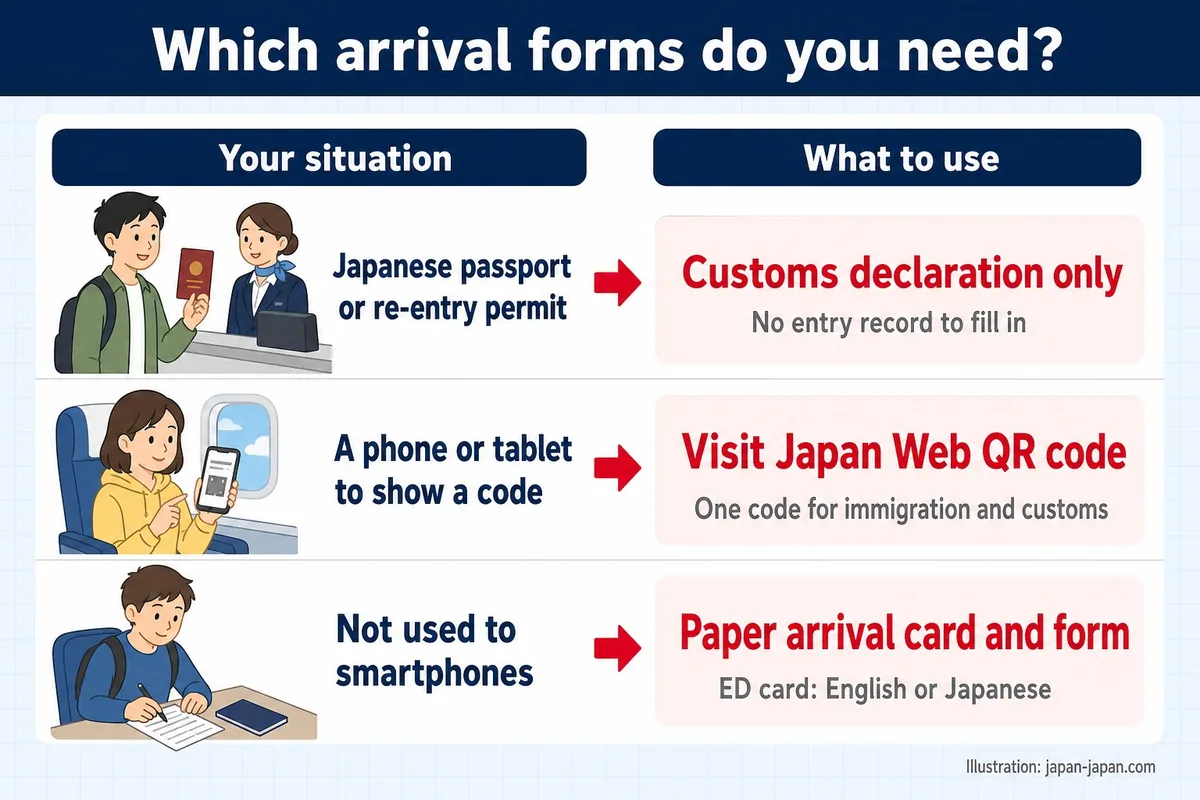
On paper, the ED card comes in three versions: Japanese and English plus traditional Chinese, simplified Chinese or Korean. Write your answers in English or Japanese. The agency also posts explanation sheets in 9 languages, including Nepali, Vietnamese, Thai, Indonesian and Russian. If smartphones are hard for you to use, the agency asks you to hand in the paper card.
Paper customs forms are available on the plane, the ship or at Customs. You can also print one on A4 paper before you leave. The English version is form C-5360-B, and there are Korean, Chinese, French, Spanish, Thai and Vietnamese versions too.
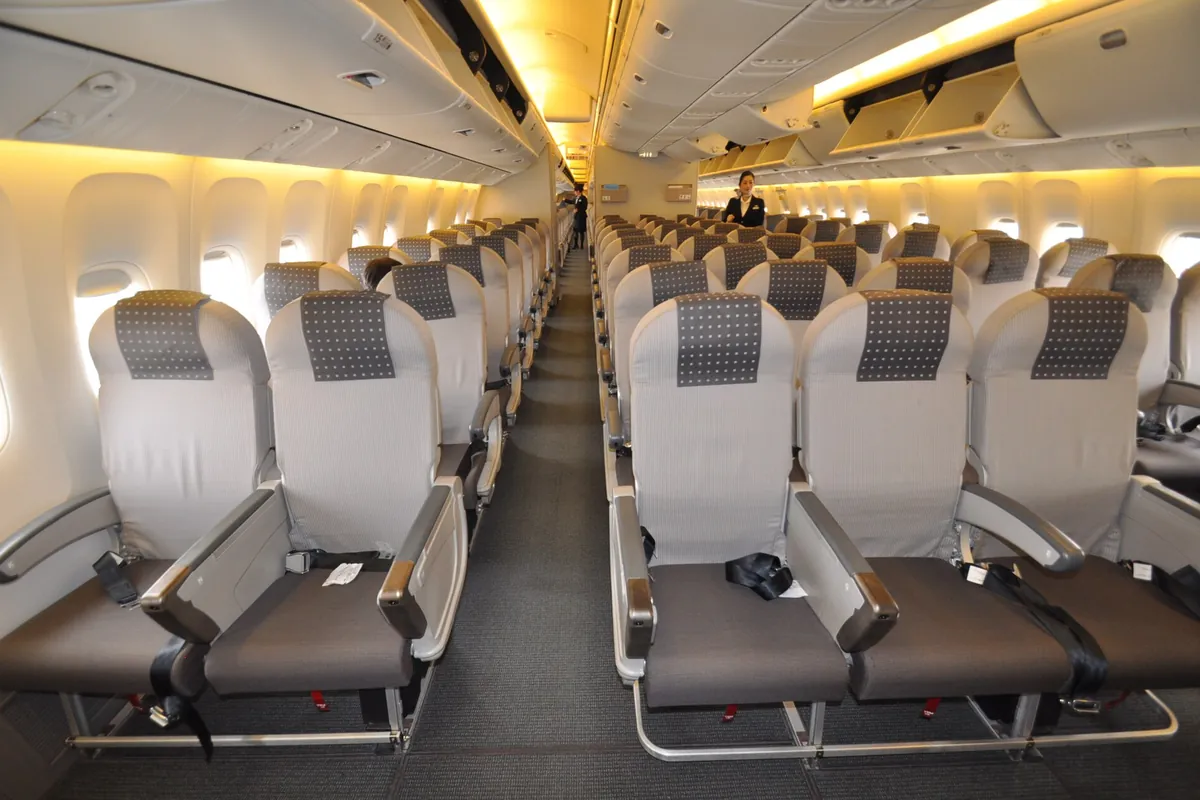
The photo above shows a Japan Airlines cabin. Customs says paper declaration forms are available on the plane.
How to get a Visit Japan Web QR code in 5 steps
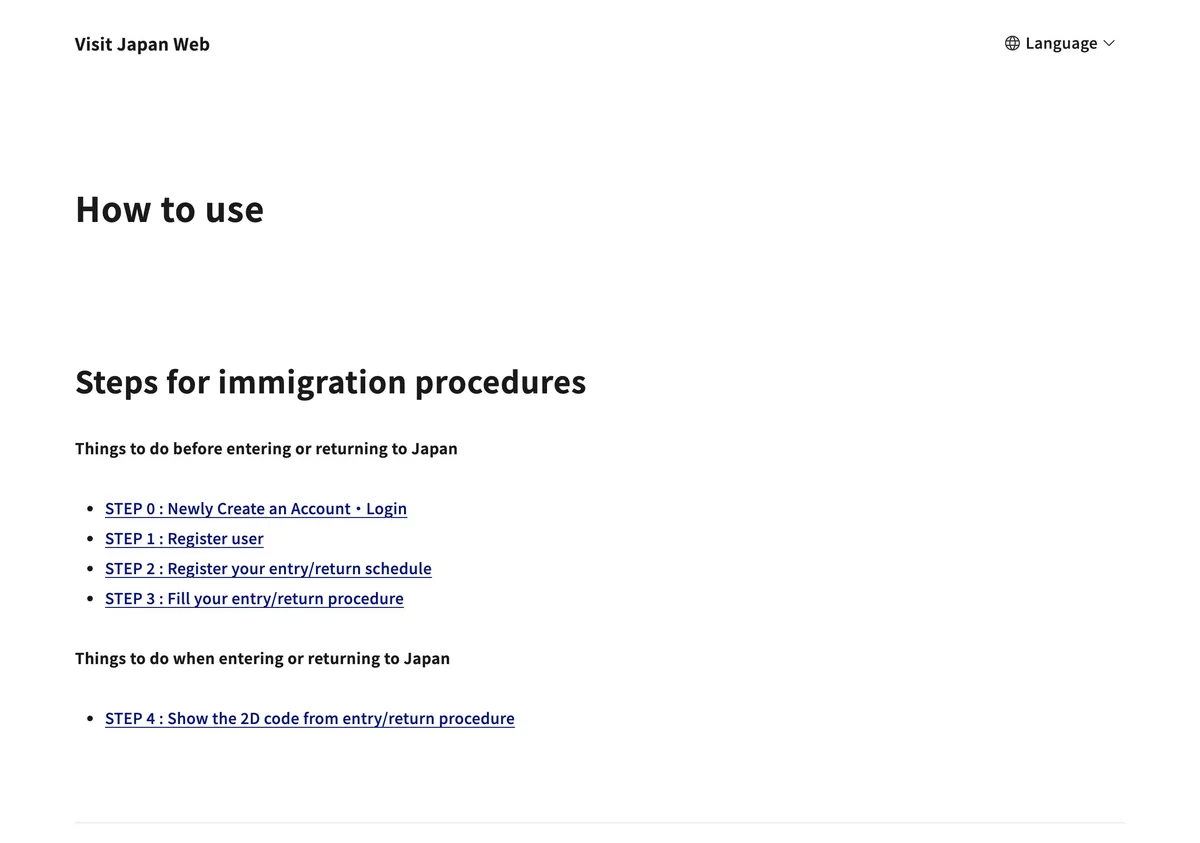
Getting a Visit Japan Web QR code takes steps 0 to 4. The Digital Agency’s guide numbers them this way: steps 0 to 3 before the trip, and step 4 when you arrive. The diagram below shows the route from account to code.
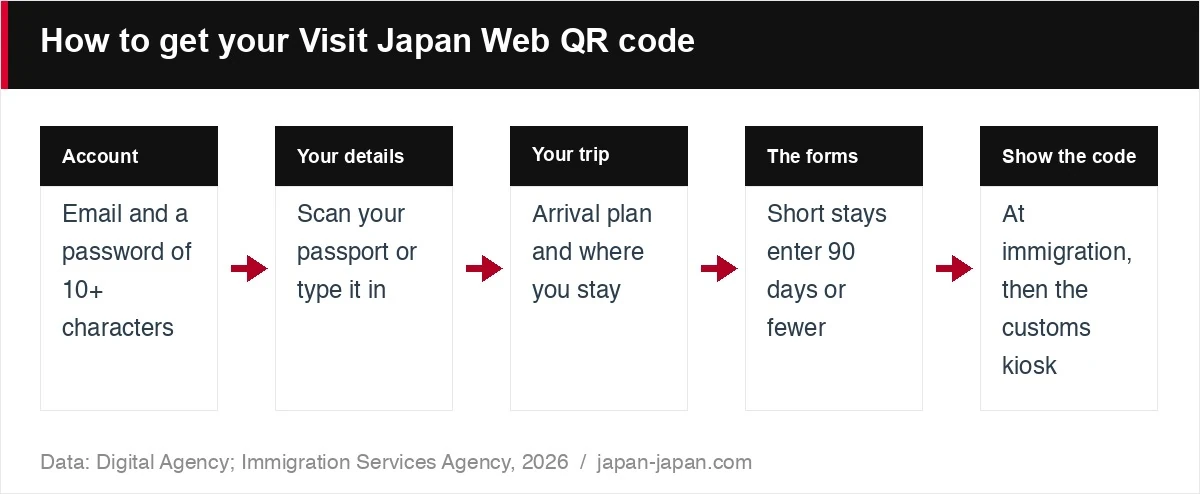
Step 0: open an account. You need an email address of up to 128 characters. The password needs 10 or more characters and must mix capital letters, small letters, numbers and symbols. The site then emails you a confirmation code. Keep that screen open until you have typed the code in: closing it cancels the code, and you start again from the beginning.
No email after a while? Check your spam folder and make sure your mail settings accept messages from @vjw.digital.go.jp. Multi-factor authentication is optional. The screens come in 9 languages: Japanese, English, simplified Chinese, traditional Chinese, Korean, Vietnamese, Thai, German and French.
Step 1: register yourself. Choose Scan with camera to read your passport, or Enter by yourself to type the details. If your passport has less than six months left, the site shows a warning. You can add travelling family members to the same account, up to 10 people. Enter each person’s details one by one.
Step 2: register your trip. Enter your arrival plans and where you will stay in Japan. One account holds up to 100 trips. If you got a visa, type in the visa issue number and click Get visa information to copy the details across.
Step 3: fill in immigration and customs. Open your trip and complete the immigration clearance and customs declaration section. On a short stay for sightseeing, business or visiting relatives, enter 90 days or fewer in the days field. The Immigration Services Agency says many people get this number wrong. The page also has quarantine health questions: answer them and the site gives advice for your condition.
If you change your personal details later, the forms you already filled in do not update by themselves. Open them and make the same change.
Step 4: show the QR code. The Immigration Services Agency asks you to finish everything before you reach the immigration hall. On arrival, open the QR code from your trip’s procedure page. Visit Japan Web also works offline, and the login screen links to the instructions. The Digital Agency’s How to use page and its operating manual (in Japanese) cover each screen.
The screenshot below shows that How to use page, with the same steps from 0 to 4.
At the airport: immigration and joint kiosks
On arrival, your route depends on whether your terminal has a joint kiosk. Depending on the terminal, the kiosks stand along the arrival walkway, inside the immigration hall, or in both places.
At a joint kiosk, hold your QR code and IC passport over the reader and follow the screen. The kiosk sends your passport details, face photo and declaration to immigration and customs at once, and foreign visitors also give fingerprints. You then finish immigration at a booth for joint kiosk users. If customs decides you need no inspection, you walk out through a face recognition gate.
Each family member needs their own code and goes through the kiosk one at a time. A screenshot of the code works, but if you edit your details you have to make a new code. The table below lists the terminals with joint kiosks, when each one started and its hours.
| Airport and terminal | Started | Hours |
|---|---|---|
| Narita Terminals 1 and 2 | 24 September 2026 | 7am to 9:30pm |
| Narita Terminal 3 | 7 April 2025 | 7am to 9:30pm |
| Haneda Terminal 2 | 1 April 2025 | 4:30am to 11:30pm |
| Haneda Terminal 3 | 11 April 2025 | 24 hours |
| Kansai Terminal 1 | 1 April 2025 | 8am to 10pm |
| Kansai Terminal 2 | 1 April 2025 | 9am to 9pm |
| Fukuoka Airport | 1 December 2025 | 7am to 9pm |
The Immigration Services Agency’s joint kiosk notice (in Japanese) says the hours can change with flight schedules. It also asks you to finish Visit Japan Web before you use a kiosk.
Where there is no joint kiosk, show the QR code at the immigration counter. At customs, scan it at an electronic declaration terminal or show it at the inspection desk. At Haneda, Fukuoka and Naha, you can use the declaration terminal while you wait for your bags at the carousel.
Our terminal pages show what is where once you are through. Narita Terminal 1 handles 47 airlines and Narita Terminal 2 handles 42. Haneda Terminal 3, the international terminal, is open 24 hours. At Kansai Terminal 1, the station is joined to the terminal on 2F.
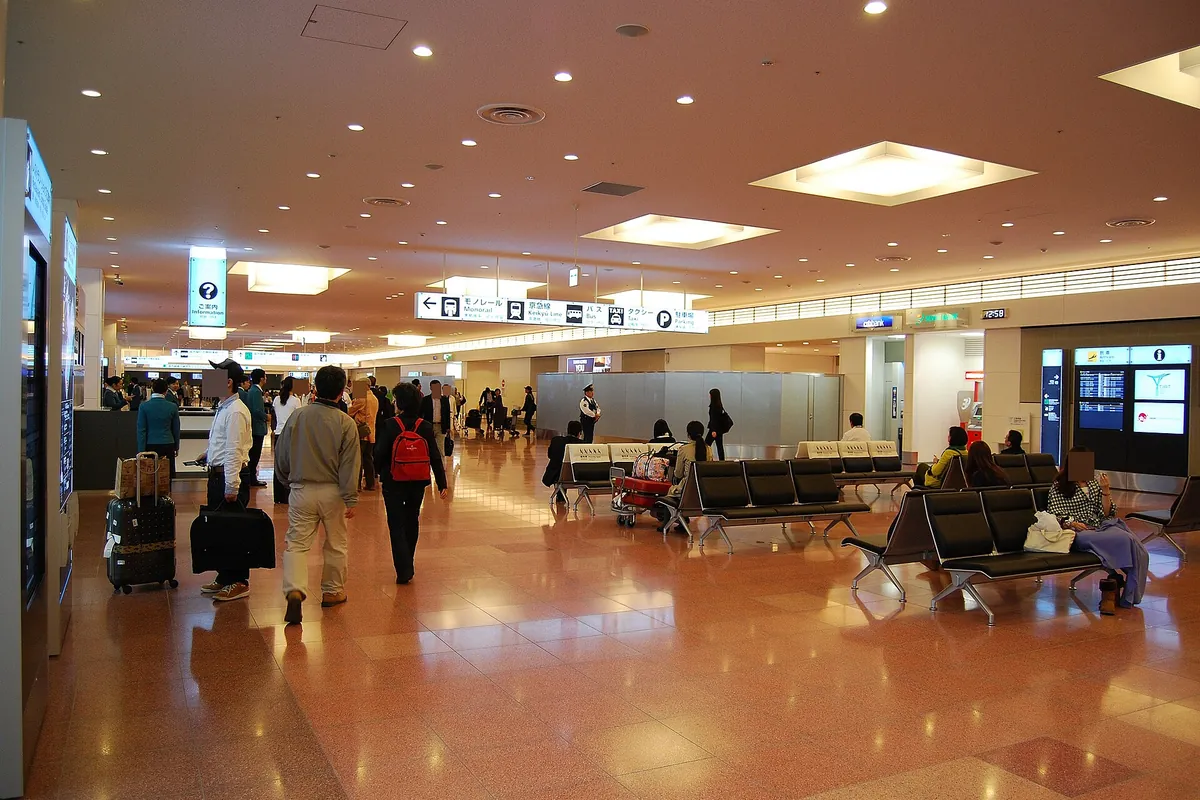
The photo above shows the arrivals lobby at Haneda Terminal 3, which you reach after customs.
Japan customs declaration form and e-Gates
At the 7 e-Gate airports, you can send the Japan customs declaration form from a kiosk. While you wait for checked bags, go to an electronic declaration terminal, a kiosk in the customs area. Hold your IC passport and QR code over the scanner and follow the screen. The kiosk takes a face photo to match the one in your passport. At the end, it sends you to the e-Gate or to a customs inspection desk.
The gate takes one more face photo as you walk through. Customs uses the photos only to check who you are, and deletes them as soon as you pass the gate. Officers may still inspect your bags after an electronic declaration. You may be sent to a desk if you carry more than the duty-free allowance or have unaccompanied articles.
The illustration below sums up three rules for the gate.
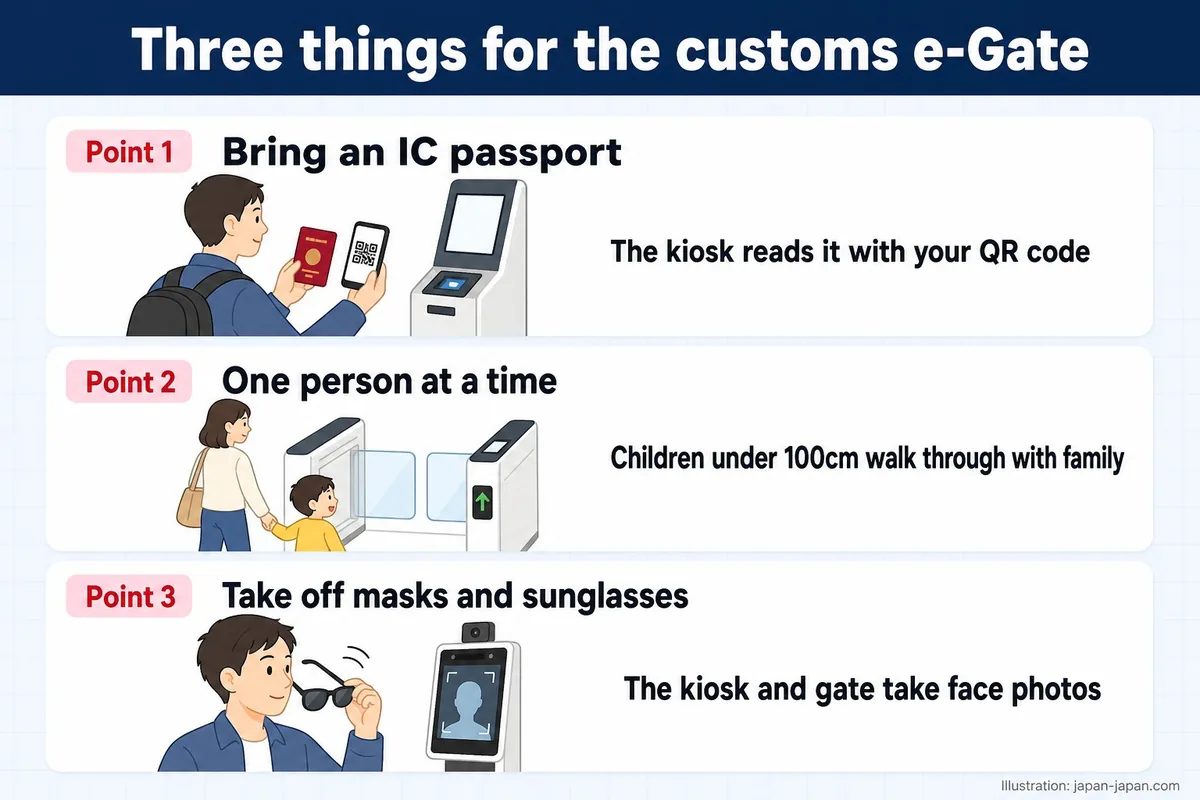
You need an IC passport. Everyone, including family members, scans at the kiosk one at a time. A child under 100cm tall can walk through the gate with a family member. Take off masks, sunglasses and anything else that covers your face. You can push a cart through, and wheelchair users can stay in their chairs.
What you declare decides your channel. The green channel is for travellers with nothing subject to duty or tax and nothing prohibited or restricted. Everyone else takes the red channel and pays any duty at the bank in the customs area. Japan Customs’ passenger page sets out these channels and the allowance.
The table below shows the duty-free allowance for one adult.
| Item | Duty-free | Note |
|---|---|---|
| Alcohol | 3 bottles, about 760cc each | No allowance under 20 |
| Cigarettes | 200 | Or 50 cigars, or 250g of other tobacco |
| Perfume | 2 ounces, about 56ml | Eau de cologne and eau de toilette not counted |
| Everything else | 200,000 yen in total | Items under 10,000 yen not counted |
| Cash, cheques and securities | Declare above 1,000,000 yen | On a separate form |
Our pages on alcohol, tobacco, perfume and everything else explain each limit. Travellers under 20 get no alcohol or tobacco allowance. In the everything else group, items with an overseas market value under 10,000 yen are left out of the 200,000 yen total. A single item worth more than 200,000 yen gets no allowance at all.
Carrying more than 1 million yen in cash, cheques, promissory notes or securities? Declare it to Customs on a separate form, the Declaration of Carrying of Means of Payment. Gold bullion of 90% purity or more that weighs over 1kg goes on the same form. Ask a customs officer for the form, or read our page on cash over 1 million yen.
Sending belongings separately? Submit two copies of the customs declaration when you arrive. Customs stamps one and hands it back. Keep it, because you show it when the shipment clears, and you must receive the shipment within six months of arrival. For goods that cannot come in at all, see what you cannot bring into Japan.
Is Visit Japan Web legit? Fake apps and paid sites
Yes. Visit Japan Web belongs to the Digital Agency of the Government of Japan. The service starts at vjw.digital.go.jp, and the explanation pages sit at services.digital.go.jp.
On 7 March 2024 the agency posted a notice that its site address had changed. Japan Customs links to vjw.digital.go.jp from its own pages, and the Immigration Services Agency links to the Digital Agency. Before you type anything, check that the address ends in go.jp.
The screenshot below shows the announcements list on the Visit Japan Web page, with the notices in this section.
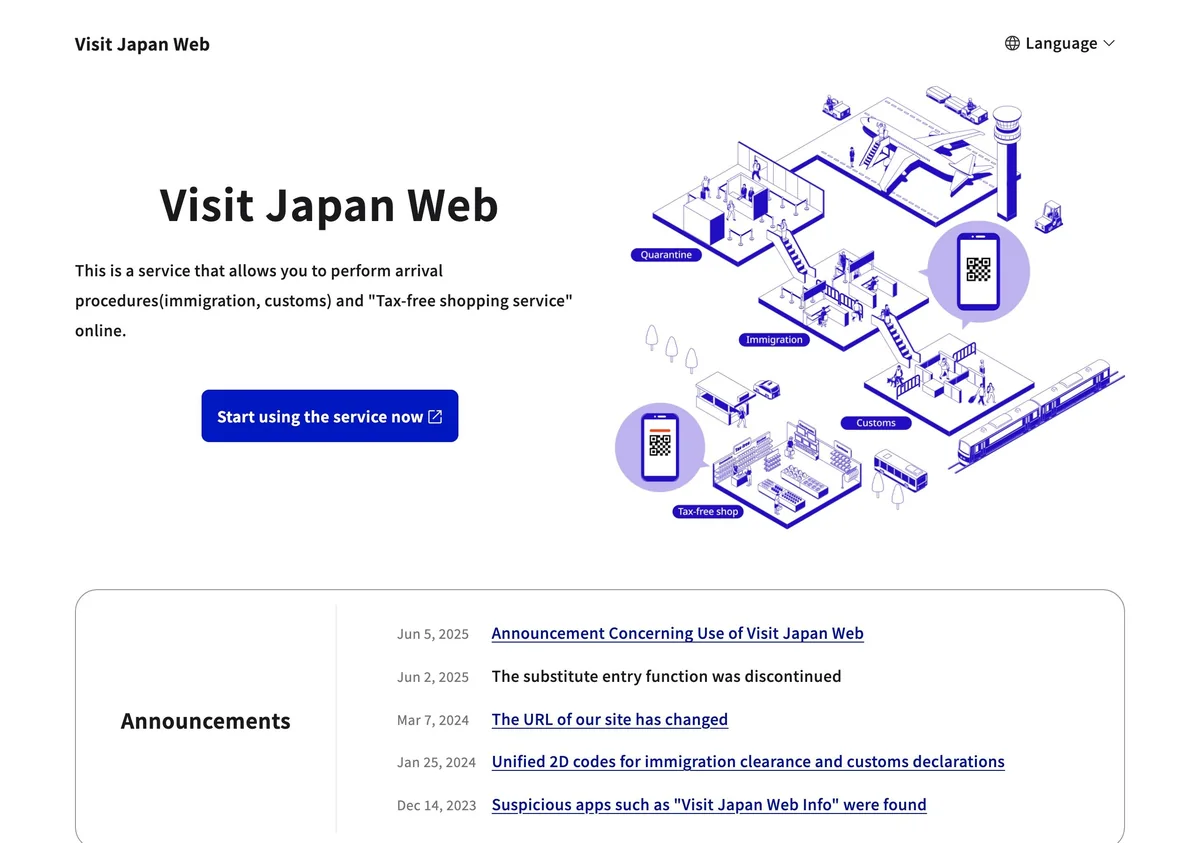
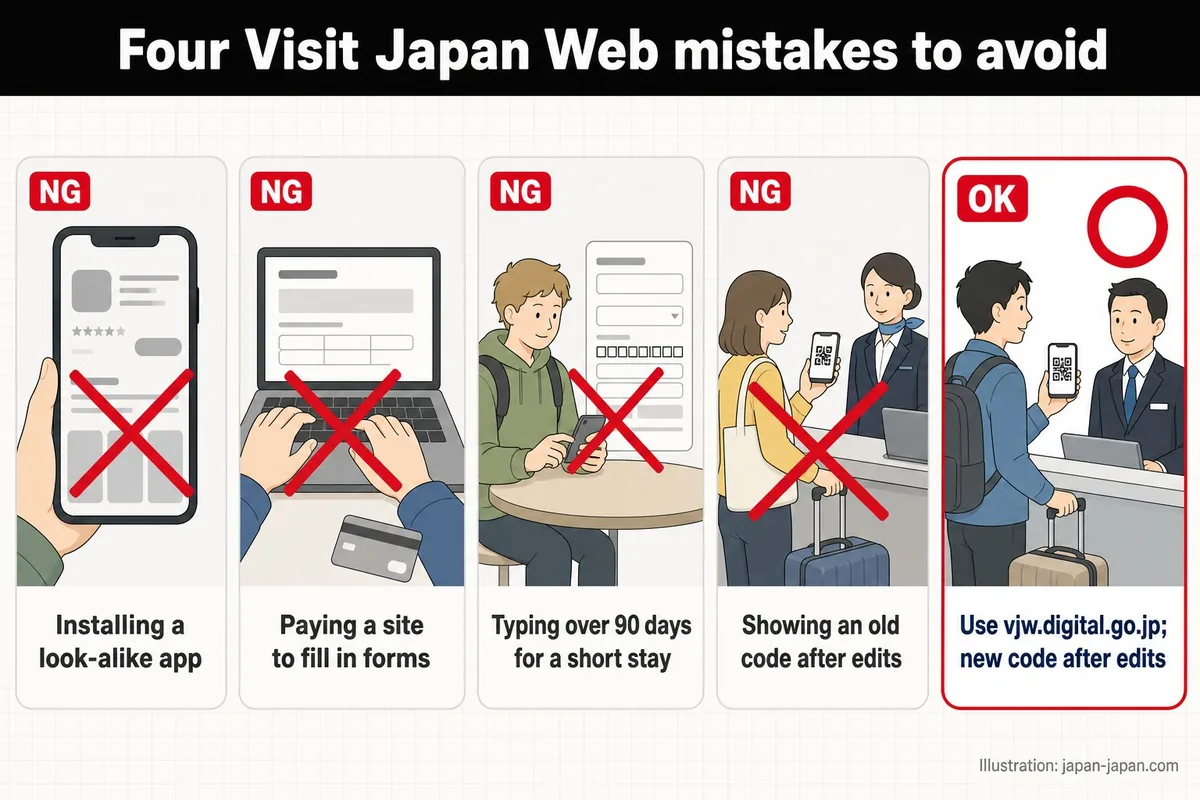
Visit Japan Web runs in your phone’s browser, and the Digital Agency says it offers no apps. On 14 December 2023 it warned about suspicious apps, including one named Visit Japan Web Info. The agency asks anyone who installed one to delete it right away.
Paid sites are the other trap. On 5 June 2025 the agency warned about websites that charge users an application fee. It says it never asks Visit Japan Web users to pay fees. Real confirmation emails come from @vjw.digital.go.jp. For help, tap the question mark at the top of any screen to reach the FAQ and the chat.
The illustration below lists four mistakes to avoid.
After landing: getting into town and tax-free
Our airport pages cover the trains, buses and lockers at Narita, Haneda and Kansai. At Narita Terminal 1, Narita Airport Station is on B1F, under the terminal. The Narita Express reaches Tokyo Station in 53 minutes at the fastest, with no change of train, for 3,140 yen. The AIRPORT BUS TYO-NRT costs 1,500 yen, and the Narita to Tokyo Station page lists the other options.
At Haneda Terminal 3, the Keikyu and Tokyo Monorail station sits on 2F, the arrivals floor. Keikyu trains reach Shinagawa in 11 minutes by Keikyu’s estimate for 330 yen, and the monorail goes to Hamamatsucho for 520 yen. See Haneda to Tokyo Station for the full route.
At Kansai, Terminal 2 has no station: a free shuttle bus takes about 7 minutes to Terminal 1 and the station. The JR Haruka takes about 75 minutes to Kyoto without a change. Visitors with a foreign passport can buy a one-way ticket for 2,200 yen. To choose between the two Tokyo airports, read Narita or Haneda to Tokyo Station.

The photo above shows the Narita Express, which runs from Narita Airport to Tokyo Station without a change.
Visit Japan Web has one more use during your stay: tax-free shopping. For purchases from 1 November 2026, you pay the price with tax in the shop. When you leave, you pass a customs check in the international departure lobby before checking in your bags. The shop then refunds the consumption tax.
At Narita, Haneda, Kansai, Chubu, Fukuoka, New Chitose and Naha, you can also use Visit Japan Web for that check. Our page on the customs check at the airport walks through it, and Japan tax-free shopping from 1 November 2026 covers the rest. This refund is separate from the duty-free allowance you declare on arrival.
FAQ
Is there a Visit Japan Web app?
No. Visit Japan Web is a website that you open in your phone’s browser, and the Digital Agency says it provides no apps. On 14 December 2023 it warned about look-alike apps such as Visit Japan Web Info. The site also works offline, and the login screen links to the offline instructions.
Can I use a screenshot of my Visit Japan Web QR code?
Yes. The Immigration Services Agency says a screenshot of the code works at immigration and at the joint kiosks. If you edit your details, make a new code and take a new screenshot. The tax-free 2D code you show in shops is different: screenshots of it cannot be used.
Does each family member need their own QR code?
Yes. Each person needs their own code and goes through immigration, the joint kiosk and the customs kiosk one at a time. One account can hold up to 10 travelling family members, but you enter each person’s details separately. At the e-Gate, a child under 100cm tall can walk through with a family member.
What if I land without filling in Visit Japan Web?
You can still enter Japan on paper. Fill in a paper ED card in English or Japanese, plus a paper customs declaration from the plane, the ship or Customs. The customs kiosks work with a Visit Japan Web code and an IC passport, so paper forms go to an inspection desk.
Photo: Arrival lobby of Tokyo – Narita Airport Terminal 2.jpg by Nanashinodensyaku (CC BY-SA 4.0, cropped), via Wikimedia Commons.
.jpg)
.JPG)


